
Introduction
Getting a high score in the speaking section requires more than just fluency; it also demands the right technical setup. Poor microphone placement for PTE is one of the most common reasons test-takers unexpectedly lose marks. If the AI software can’t hear you clearly, your score will suffer—no matter how perfect your English is.
You’ve memorized your templates, perfected your oral fluency, and spent weeks practicing Read Aloud and Describe Image. You walk into the PTE test center feeling confident.But when your report card arrives, your Speaking score is shockingly low.
What went wrong? More often than not, it isn’t your English proficiency that failed you—it was the hardware. Because the Pearson Test of English is entirely graded by an AI algorithm, technical glitches caused by human error can completely ruin an otherwise flawless performance.
If the computer can’t hear you clearly, or if you inadvertently trigger the system’s automated cutoff rules, you will receive a zero for that item.
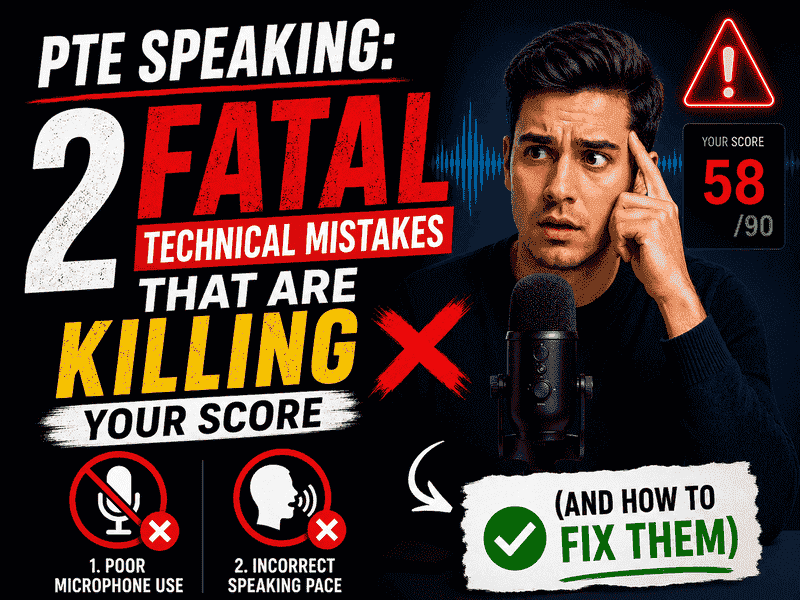
Let’s break down the two most common fatal technical mistakes candidates make in the PTE test room and exactly how to avoid them.
1. The Wrong Microphone Placement (The “Plosive” Trap)
Most test-takers naturally want to pull the headset microphone directly in front of their mouth so the computer can hear them. This is a critical mistake.
When you speak, certain consonants—specifically P, T, K, B, D, and G—release a sudden burst of air called a “plosive.” If the microphone is placed directly in the path of your breath stream, these bursts of air sound like loud, distorted pops to the AI grader.
The algorithm struggles to distinguish these breathing distortions from actual speech sounds, leading to major penalties in your Pronunciation and Oral Fluency scores.
How to Position Your PTE Microphone Perfectly
During the initial equipment test check, take an extra 30 seconds to adjust your headset using these guidelines:
- Avoid the Mouth Line: Never place the microphone directly in front of your lips.
- The Nose or Chin Level Rule: Position the tip of the microphone either slightly below your bottom lip (level with your chin) or slightly upward (level with the tip of your nose).
- Distance Matters: Keep the microphone about two fingers’ width away from your face. It should be close enough to capture your voice clearly, but far enough outside the “breath zone” to avoid recording your exhalations.
Pro Tip: Once you adjust the mic, do the microphone test recorder run. Breathe out heavily through your mouth. If you hear a rushing wind or popping sound in your playback, the mic is still too close to your breath path. Re-adjust it immediately before clicking start.
2. Triggering the Fatal “3-Second Rule”
The PTE Speaking software is designed to keep the test moving efficiently. To do this, it utilizes an automated microphone cutoff system widely known as the 3-Second Rule.
The rule is simple but brutal: If you remain completely silent for more than three seconds after the recording status changes to “Recording,” the microphone turns off automatically.
Once the microphone shuts down, it will not turn back on for that question. The software assumes you have skipped the task, automatically moving you forward and awarding a score of zero for that specific item.
Where Most Candidates Get Tripped Up
The 3-second rule causes the most damage during the transition between the preparation time and the response time in tasks like Read Aloud and Retell Lecture.
Candidates often clear their throat, hesitate, double-check their notes, or freeze up in a moment of panic. By the time they take a breath to begin speaking, the three seconds have elapsed, and the opportunity is gone.
How to Beat the 3-Second Rule
To ensure you never lose points to a microphone timeout, build these habits into your practice routine:
1. Watch the countdown timer closely:Preparation Phase.
As your preparation time ticks down to the final 2 seconds, stop looking at your notes and focus your eyes entirely on the progress bar status indicator.
2. Listen for the audio tone:Transition Phase.
Wait for the short beep or tone that signals the microphone is officially live. Do not start speaking before the beep, as your first few words will be cut off.
3. Begin speaking within 1 second:Execution Phase.
Start your response immediately within the first second of the status changing to “Recording.” Even if you aren’t completely sure of your opening sentence, start reading the first word or initializing your template layout to keep the microphone active.
Technical Checklist for PTE Exam Day
Keep this quick reference guide in mind when you sit down at your assigned computer station:
| echnical Aspect | What to Avoid | What to Do |
| Mic Position | Directly in front of your lips or touching your cheek. | Level with your chin or nose, 2 fingers away from your face. |
| Volume Check | Speaking too softly out of fear of disturbing other candidates. | Speak in a confident, steady, conversational classroom voice. |
| Silence Gaps | Pausing for more than 2 seconds to think mid-sentence. | Keep moving forward. If you make a mistake, do not correct yourself—maintain oral fluency. |
| Transition Timing | Waiting to read the whole text perfectly before speaking. | Start speaking within 1 second of hearing the recording beep. |
Final Thoughts
The PTE Academic is just as much a test of your ability to interact with software constraints as it is a test of your English language abilities. Don’t let perfect grammar and a rich vocabulary go to waste over a misplaced headset microphone or an unexpected pause.
Incorporate correct headset adjustments and immediate response timing into your daily practice mock tests, so that on exam day, the technology works for you, not against you.